
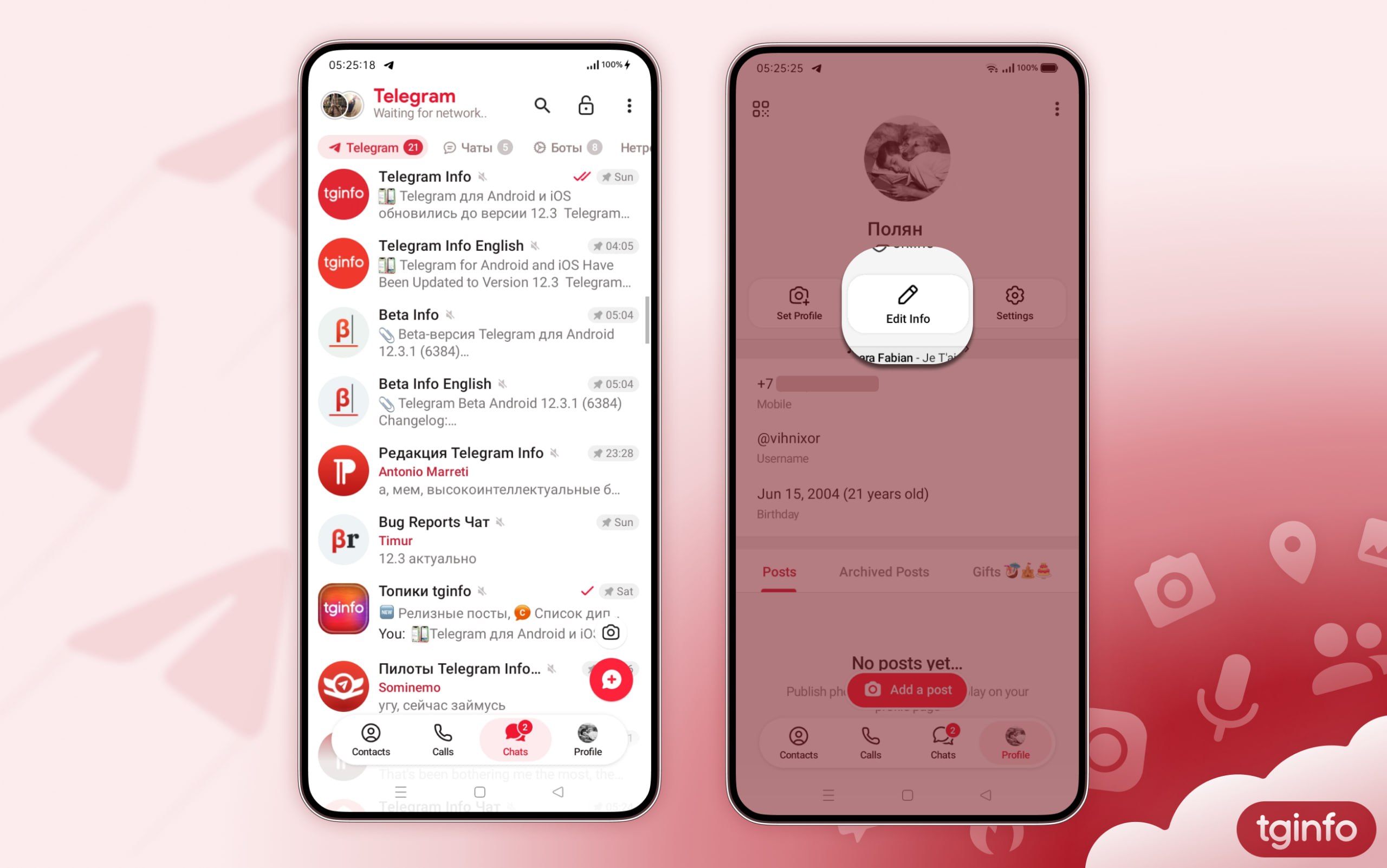
In the beta version of Telegram for Android 12.3.1, further changes have been made as part of the ongoing app redesign.
What’s new:
• Indicators now appear on the bottom navigation tabs—for example, an unread message counter on Chats or a warning icon above Contacts.
• The search bar now hides when scrolling. In this case, a Search button appears at the top of the main screen.
• Status messages such as “Waiting for network…”, “Connecting…”, and “Updating…” are now displayed below the “Telegram” title instead of replacing it.
• The active chat folder is now highlighted in your theme’s accent color. When using the classic theme, the “Telegram” title at the top of the screen is also accented.
• The quick theme switch and proxy management buttons have been moved to the three-dot menu on the main screen.
• The button for creating a new Story has been returned to its previous location and now appears only when scrolling through the chat list.
• In the header of your profile, the “Add Story” option has been replaced with an “Edit Info” button.
#Android